Tarkov Quest Tracker, Tree & Objectives
Auto-sync 490+ Tarkov quests from your game logs, visualise the trader quest tree, and tick off objectives with live map markers. PvE and PvP tracked separately.
Tarkov has 490+ quests across every trader, and remembering which ones you accepted, what each objective needs and what unlocks next is a job in itself. The quest tracker does that job for you: every quest state, every objective, and the full trader dependency tree, read straight from your own game logs, automatically.
Accept, complete, fail or abandon a quest in raid and the tracker updates by itself, no manual selection. State comes from the log files Tarkov itself writes to disk: no memory access, no injected code, BattlEye safe. PvE and PvP progress stay separate and never mix, and a single Import from logs pulls your full quest history mid-wipe, so you never rebuild progress by hand.
Everything stays connected as one system. Tick an objective in the checklist and the map markers and quest tree update live. Kill and find-in-raid quests get a +/- counter, so you step the count without alt-tabbing. And when you finish one and wonder what to run next, your player stats rank the best next quest with reasons.
Auto quest sync from logs
Accept a quest in-game. The app reads your client logs automatically in real time and updates the quest state on TarkovQuestie.
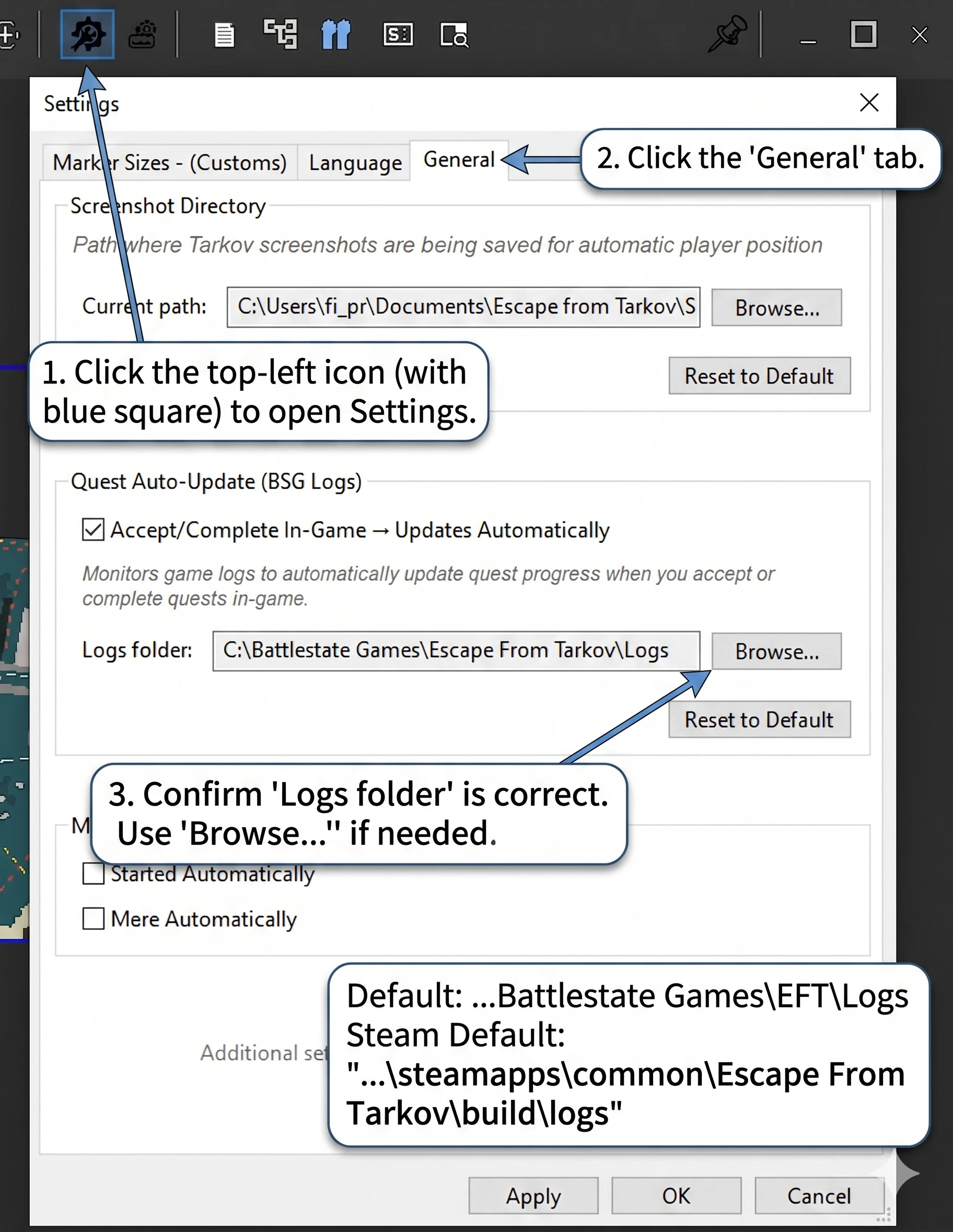
- Detects accept, complete, fail, abandon — all live
- No manual quest selection.
- 490+ quests covered across all traders
- Tracks PvE and PvP quest states independently, never mixes them
Quest tree
Visualises trader quest dependencies. Know which quest unlocks a trader barter or buy. Search a specific item to find which quests provide it.
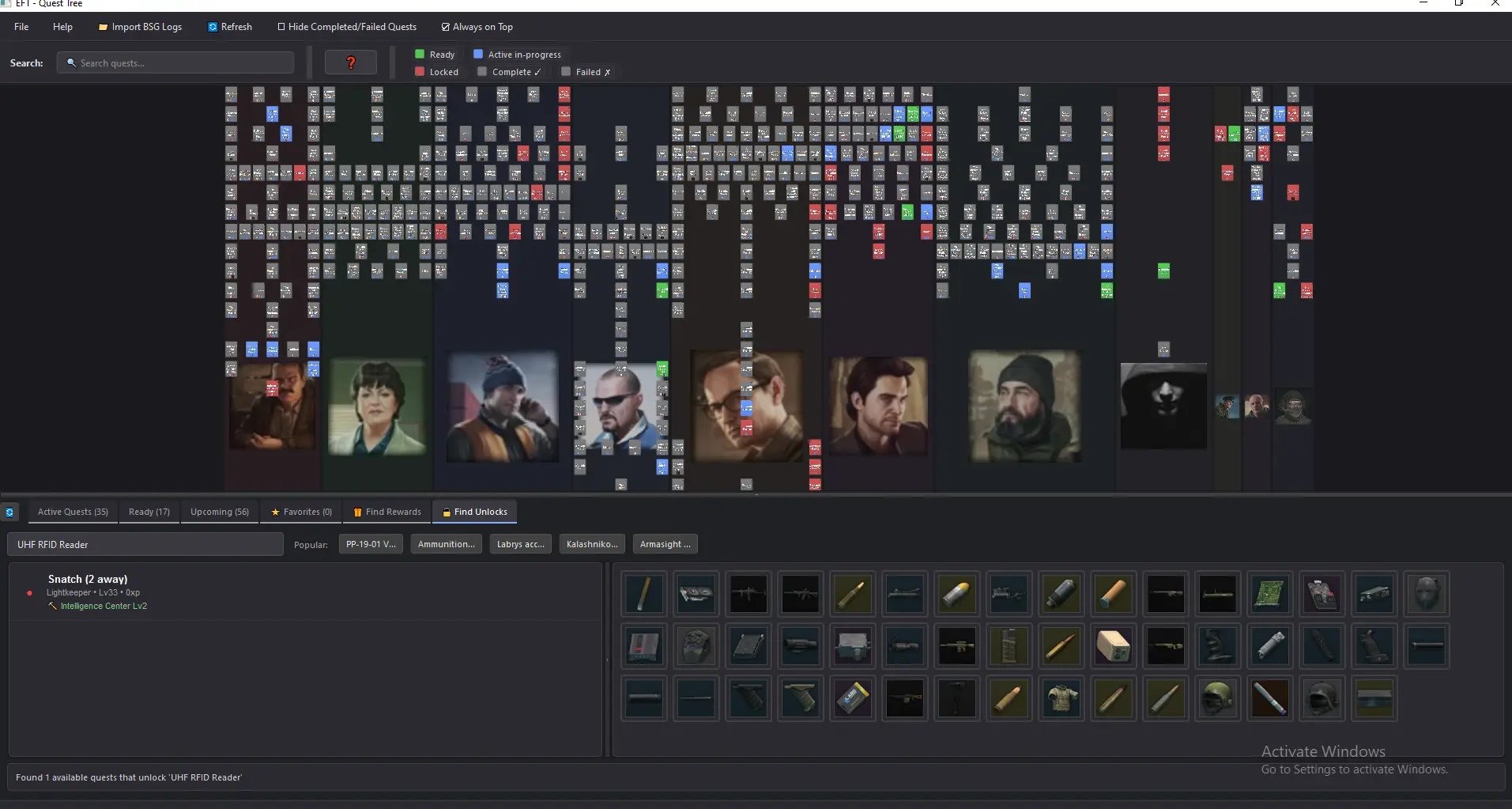
- All traders, all quest types
- States: locked / available / accepted / completed, right-click any quest to set
- Highlight any quest to see its prerequisites as a line tracing the path to unlock
- Import quest states from client logs with 'Import from logs'
- Set your current hideout station levels, so Shift+Click hideout needs match your actual progress
Quest & objective checklist
Left-side panel with every active quest and its objectives, all interactive. Check or uncheck any quest or any objective. Kill and find-in-raid quests get a +/- counter so you can step the count yourself.
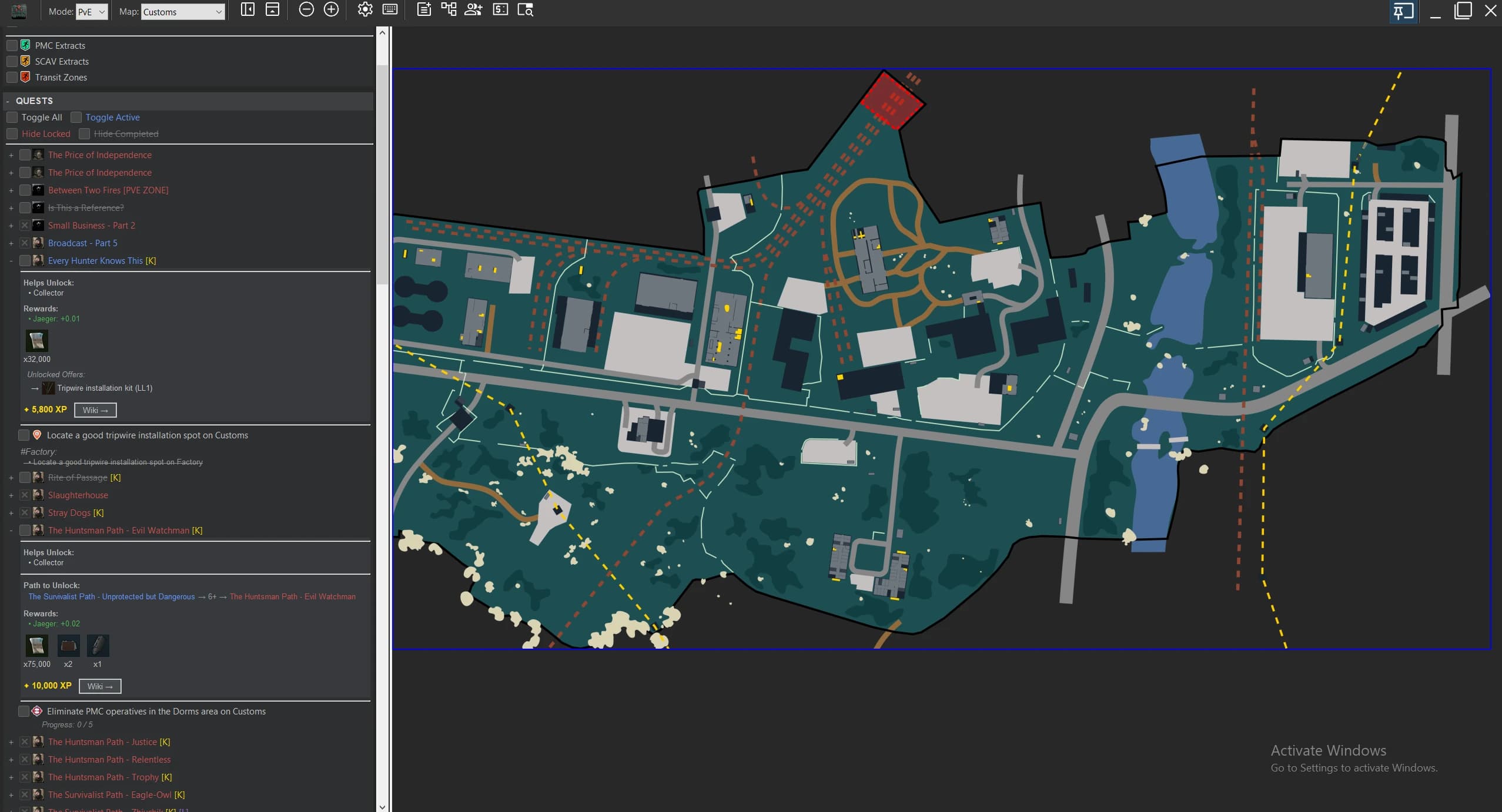
- Check at quest level to tick every objective at once, or expand for per-objective control
- +/- counter on kill and find-in-raid quests, bump the count without alt-tabbing
- Map markers and quest tree update live as you check off
- Use as a manual override with Right-Click when auto-sync missed something