Tarkov Keybinds & Per-Map Config
Rebindable in-game hotkeys for every TarkovQuestie action, plus per-map setups that remember your container, spawn and marker toggles.
Every Tarkov map asks for a different setup. The containers you care about on Interchange are noise on Woods, and a keybind that feels natural to one player collides with another's game binds. Config exists for exactly that: a rebindable in-game hotkey for every TarkovQuestie action, and a separate saved setup for each map.
F6 turns see-through mode on and off, F7 zooms to your live position, F8 pulls back to the full map overview, all without ever leaving the game. Rebind any of them from Right-click map, Keybinds, combos like Shift + D included, so nothing collides with your game binds. On the map side, your container, spawn and marker layers and your marker sizes save per map, load automatically when you enter that map, and reset to defaults in one click. Everything is stored on your own computer and persists through app updates.
What per-map config remembers is the map content itself: the loot filters, spawns, extracts and markers you set up last time. Dress a map once, and every raid after that starts exactly the way you left it.
Keybinds while gaming
Toggle transparency. Every action on a hotkey, every hotkey rebindable. Designed so you never alt-tab during a raid.
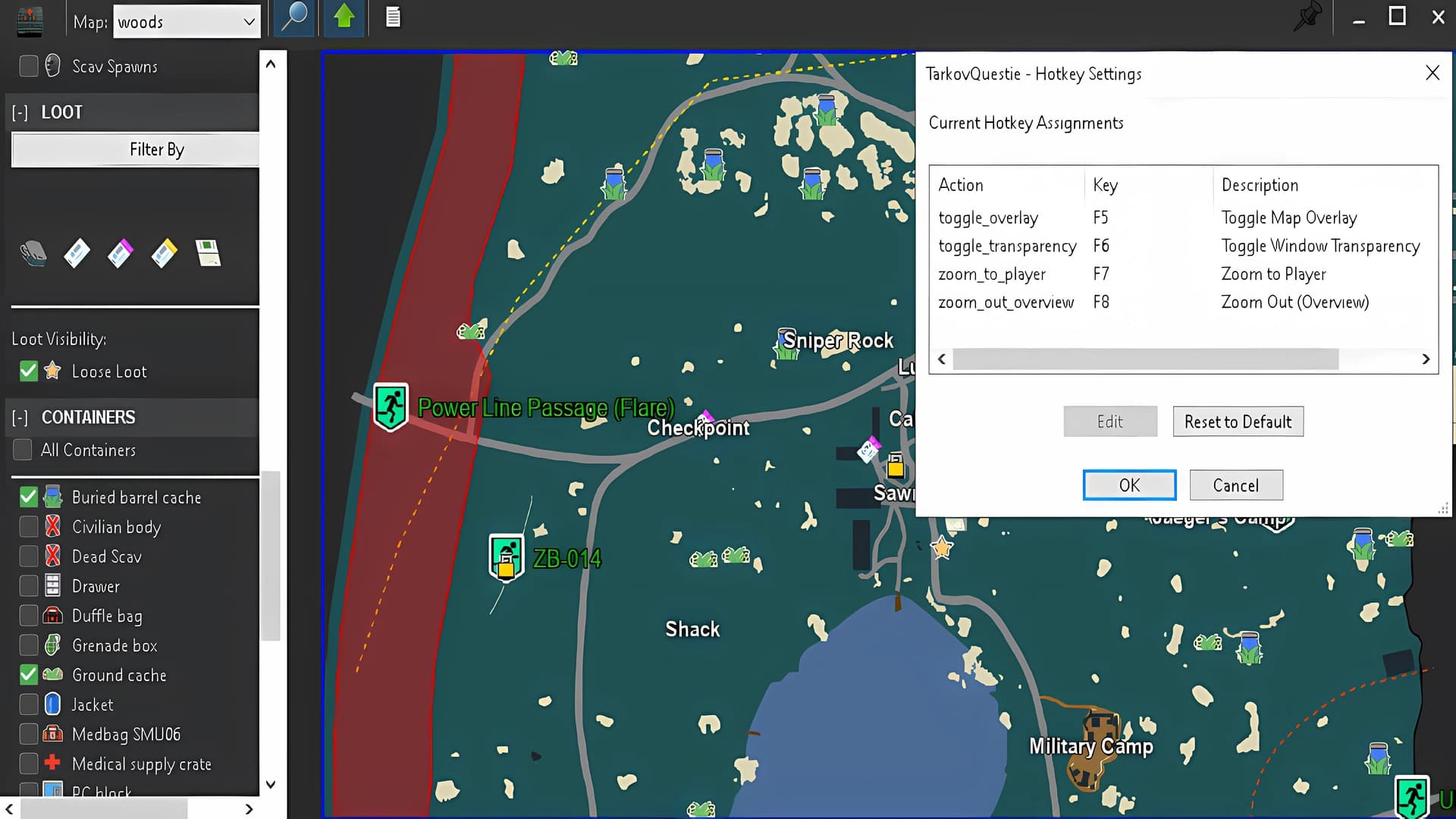
- F6 toggles see-through transparency for the app
- F7 zooms to your live player position
- F8 zooms out to full map overview
- Hotkeys work while in-raid, no alt-tabbing required
- Default keys rebindable, supports complex combos like Shift+D
Per-map config
Each map remembers its own setup. Left-side panel selections (containers, spawns, markers) and marker sizes save independently per map, including player and quest marker sizes. Load any map and your config is exactly how you left it.
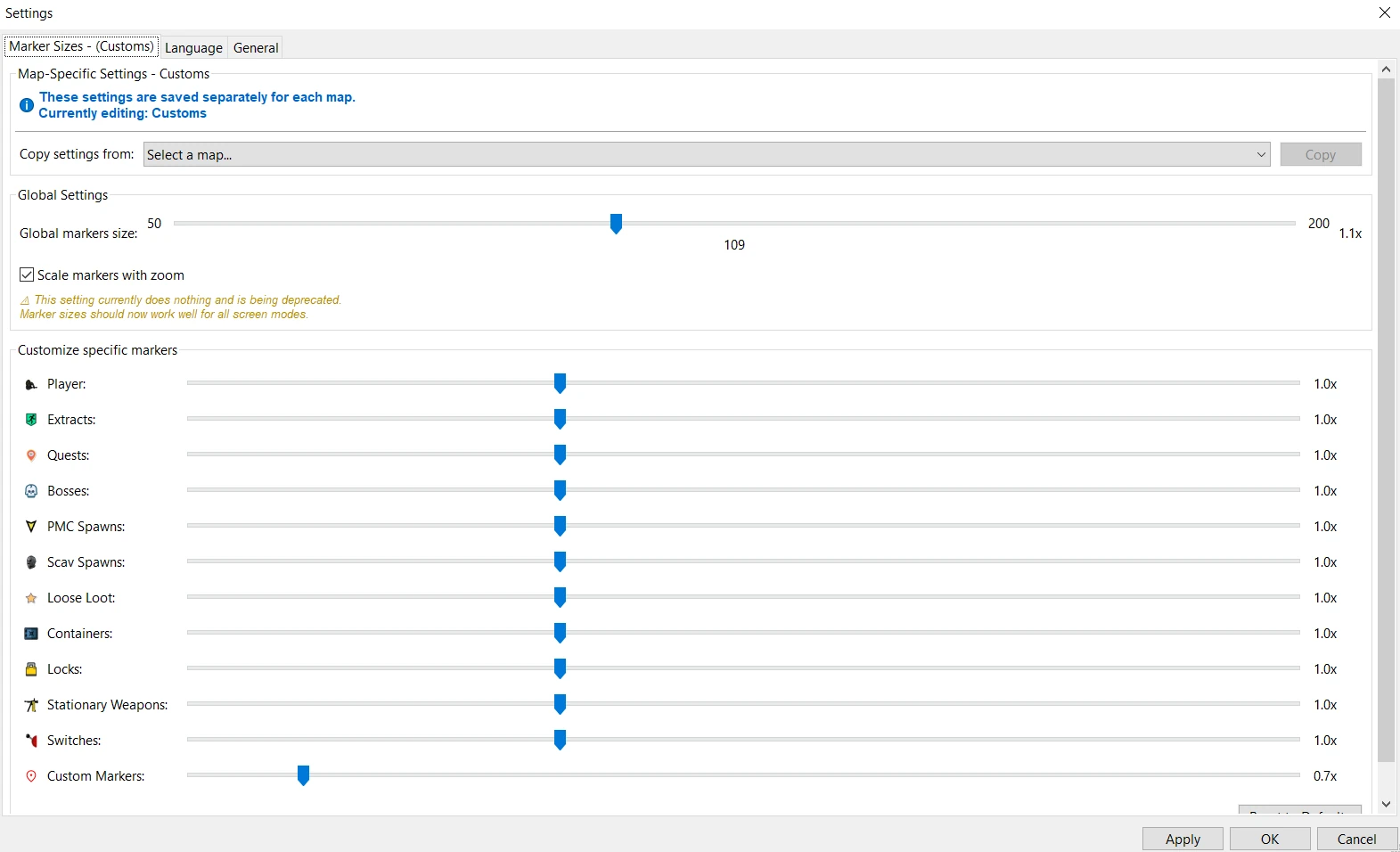
- Toggle containers, spawns, and marker layers independently per map
- Marker sizes per map, including player and quest markers
- Auto-loads your config every time you load a map
- Reset to defaults any time
- Saved on your computer, persists through app updates