Tarkov Loot Filter, Spawns, Extracts & Keys
Filter Tarkov ground loot by item, view container and boss spawns, check extract requirements, toggle map markers, and light up every door your keys unlock, per map.
Most raids have a goal: an item you are hunting, a quest to finish, an extract you need to reach. A map that shows every spawn, extract and marker at once buries that goal in clutter. The loot and map layers cut the map down to your plan: ground loot filtered to the exact item, only the extracts you can use, only the doors your keys open.
Every map covers 15+ container types, safes to dead scavs, each on its own toggle, and the ground loot filter shows exactly where a graphics card or a LEDX can spawn, stacking as many items as you want. Extracts are color-coded by whether you can use them right now, with time of day, faction and item requirements shown live and a PMC, Scav or co-op filter on top. Boss, PMC spawn and Scav spawn layers toggle independently, so you combine what the raid needs without the clutter of everything else.
Your own keys get the same treatment: mark them with Shift + Click and the map's Locks panel lights up every door they unlock, so you know which ones to grab from your stash before you queue. Mid-raid, Alt + Right Click drops a quick marker on a noise or a spot worth a second look, no menus needed. And everything you toggle here is saved per map, so your Interchange setup is waiting the next time you load in.
Item & container spawns
Every map shows possible loot spawns and 15+ container types — safes, computers, medbags, toolboxes, weapon boxes, jackets, dead scavs, the lot.
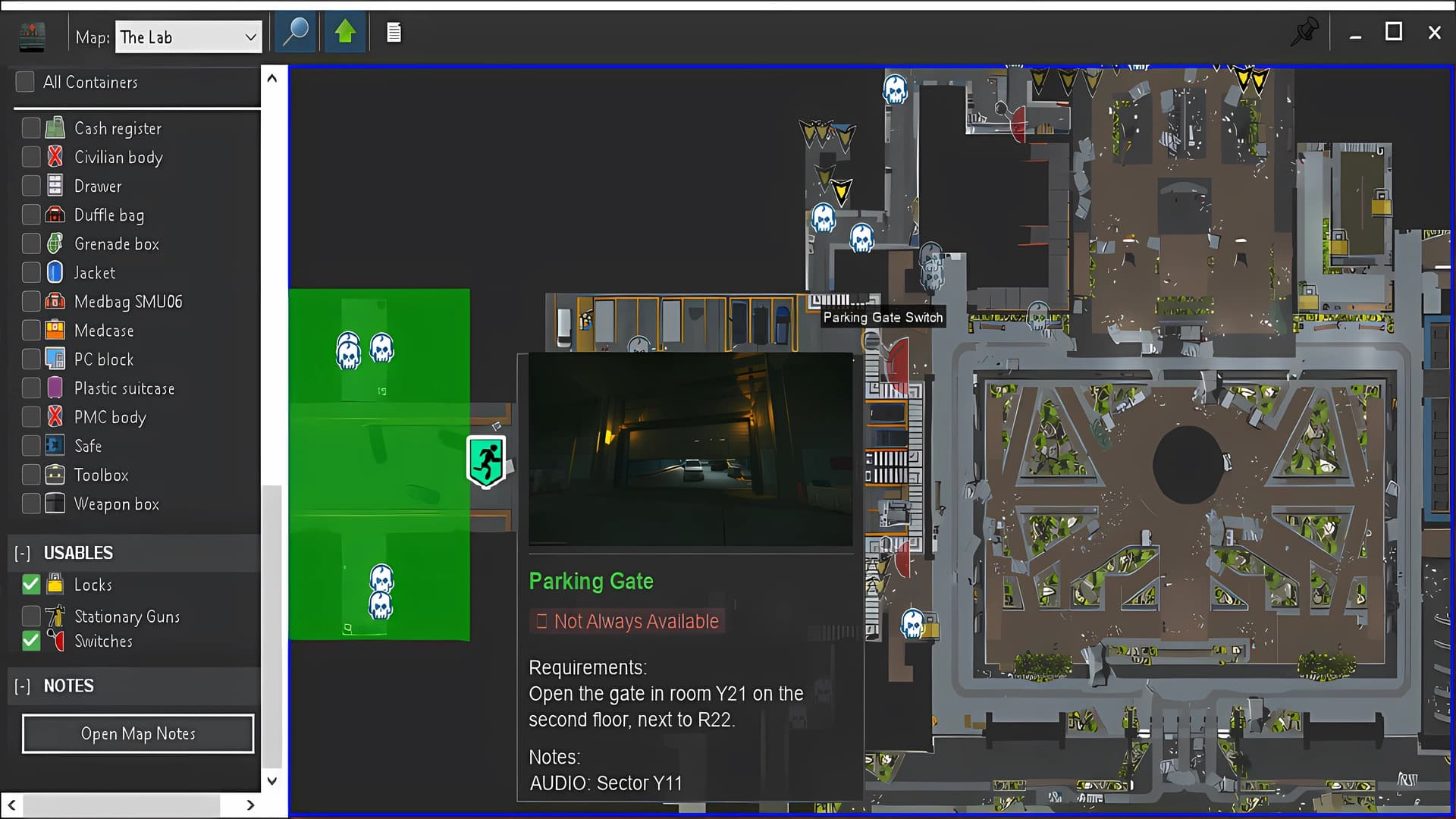
- Container layer toggles per type
- Possible spawn list per container
Ground loot filter
Filter map loot by item. See exactly where a graphics card, LEDX, or any item can spawn — and only show those locations.
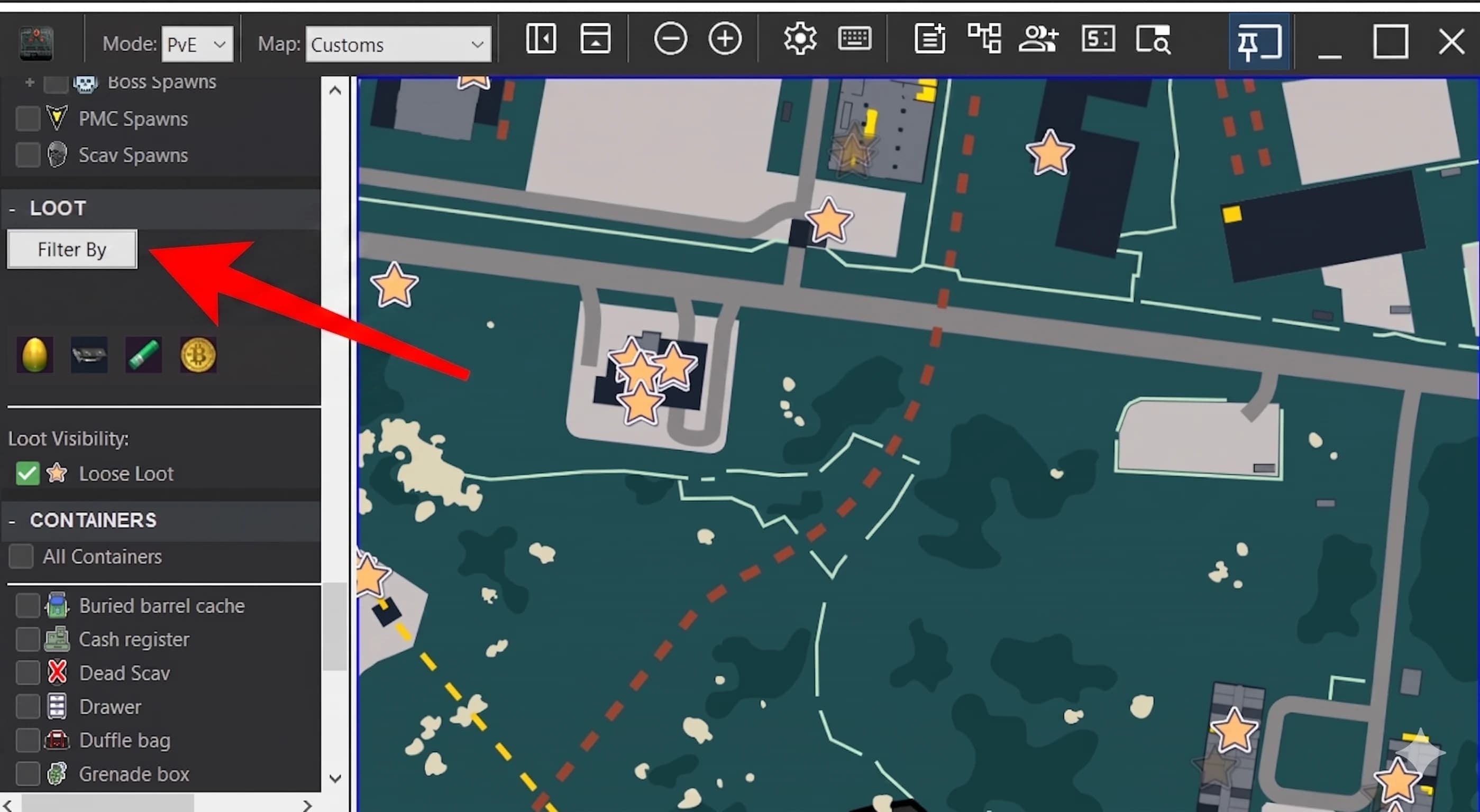
- See a list of items that can spawn on your map and select what you want
- Multi-item filter — stack what you want
- Combine with container filter for dense planning
Extract requirements
Every extract shows requirements live: time of day, faction, items needed, side requirements. Color-coded by current eligibility. Check or uncheck what you want to see. Click any extract for details and a screenshot.
- PMC vs SCAV vs CO-OP faction filter
Keys to take in-raid
Mark the keys you own with Shift+Click ID. The map's left-side Locks panel then lights up every door your keys unlock, so you pick the right ones to grab from your stash before raid.
- Per-map Locks list, filtered by the keys you own
- Add keys on the mini items tracker, see the locks you can open on the map
- Updates the moment you check or uncheck a key
Toggle map markers
Show only the markers that matter for the raid you're planning. Bosses, PMC spawns, Scav spawns, extracts. Each layer toggles independently.
- Every boss covered per map
- PMC and Scav spawn overlays, toggleable per faction
- All extract types (PMC, Scav, car, train, vehicle)
- Combine layers freely without clutter
Custom markers on map
Drop quick markers on the map mid-raid. Mark where you heard a noise, where shots came from, or any spot worth a second look.
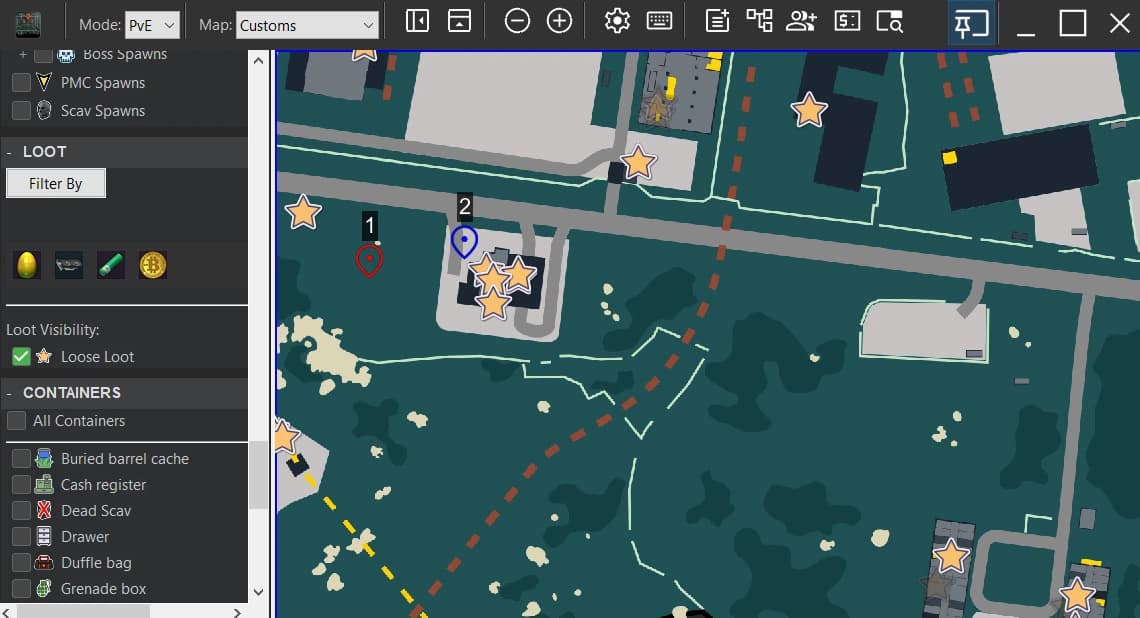
- Up to 3 custom markers active at once
- Alt + Right Click an existing marker to remove it
- Drop one without leaving the game, no menus needed