Tarkov Player Stats, Next Quest & Raid History
Your best next Tarkov quest with reasons, full wipe stats, and auto-recorded raid history per map, all read straight from your game logs.
Every wipe reaches the point where you finish a quest and sit at the map wondering what to run next. Some quests unlock whole chains, some count toward Kappa, and some you could finish in the raid you are about to queue. Player stats exists for exactly that call: it reads your progress and recommends the single best next quest, with the reasons why, next to your full wipe in numbers and a raid history that records itself.
The next-quest engine weighs follow-up unlocks, Kappa and Lightkeeper impact, and what you can finish right now, and hovering a recommendation previews its objectives and rewards. The wipe view turns data the app already tracks into numbers: quest completions over time and per trader, XP and rouble rewards, craft profit, and the found-in-raid items your hideout still needs. Raid history fills itself in from the log files Tarkov itself writes to disk the moment you load in: raids per map and per week, your most played map, and how many quests still wait for you there. PvE and PvP stay separate, like everything else in the app.
All of it runs on the same progress the quest tracker syncs from your logs, so there is nothing to fill in. Finish a quest in raid and the recommendation, the charts and the raid log update on their own. When the wipe treats you well, one click shares your progress as an image.
Player stats: what to do next
Mission control for your wipe. The stats panel reads your quest progress and recommends the single best quest to do next — with the reasons why — plus Kappa, hideout, and Lightkeeper progress at a glance.
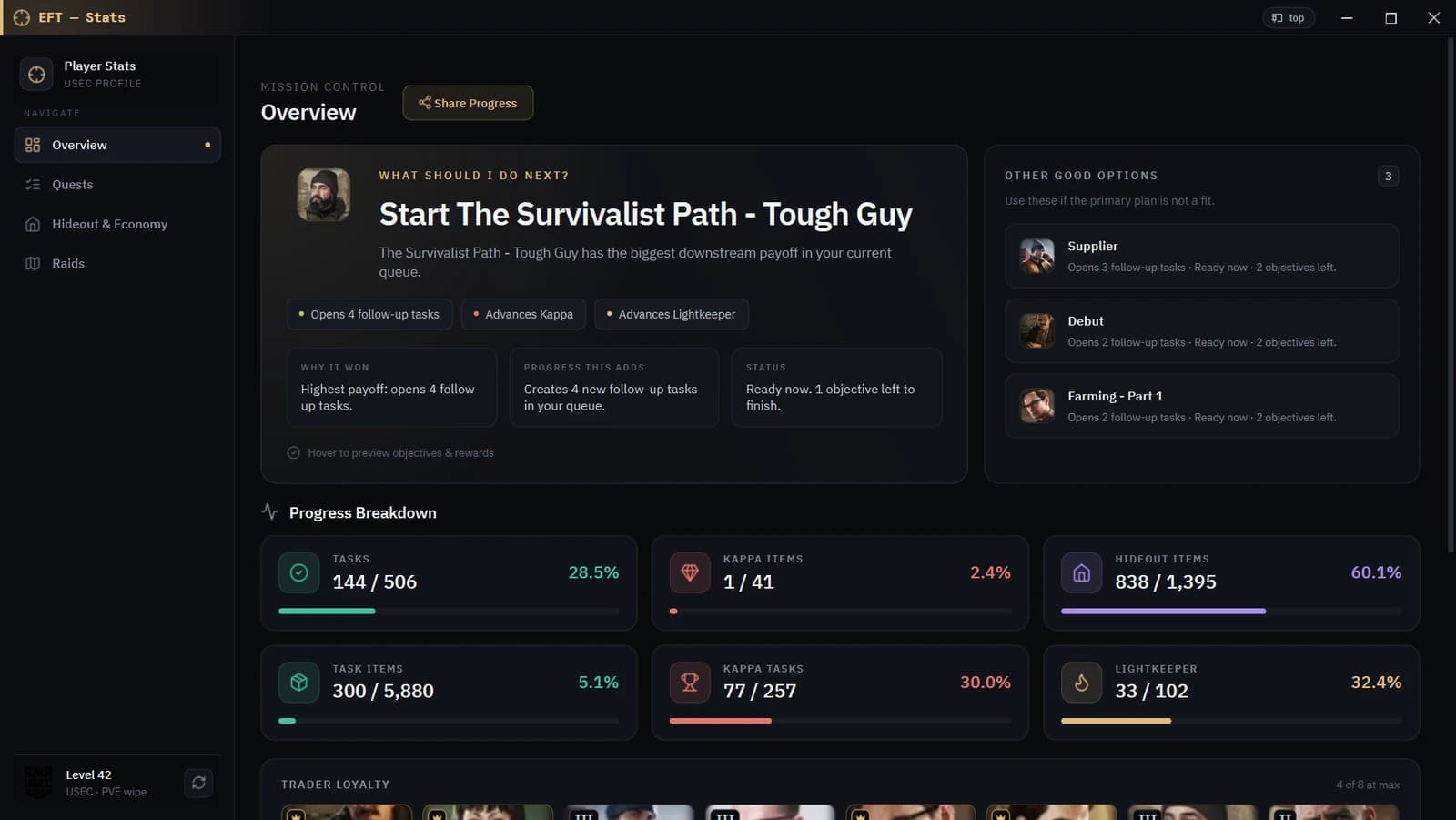
- Next-quest engine weighs follow-up unlocks, Kappa and Lightkeeper impact, and what you can finish right now
- Hover any recommendation to preview objectives and rewards
- Progress breakdown: tasks, Kappa items, hideout items, task items, Kappa tasks, Lightkeeper
- Trader loyalty strip and completion momentum chart
- PvE and PvP tracked separately, like everything else in the app
Wipe stats: quests & economy
Your wipe in numbers: quest completions over time and per trader, craft profits, and your Bitcoin Farm payback — all from data the app already tracks automatically.
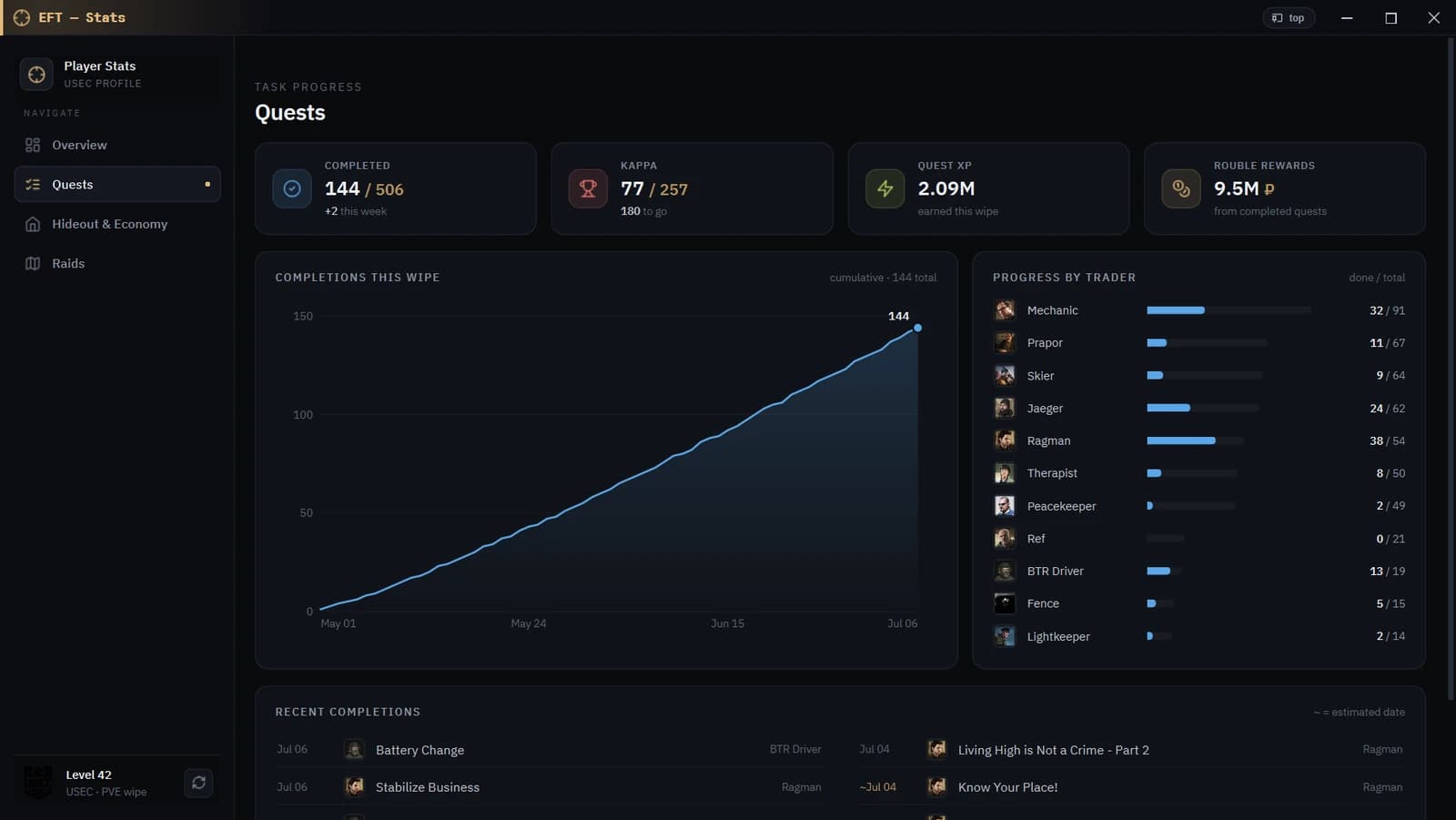
- Completion chart for the wipe + progress bar per trader
- Quest XP and rouble rewards earned this wipe
- Craft profit, crafts collected, hideout invested, time crafting
- Found-in-raid items still needed for hideout upgrades
- Share your progress as an image with one click
Raid history, auto-recorded
Every raid you queue is recorded from your game logs — no manual input. See where you actually play: raids per map, raids per week, your most played map, and your busiest day.
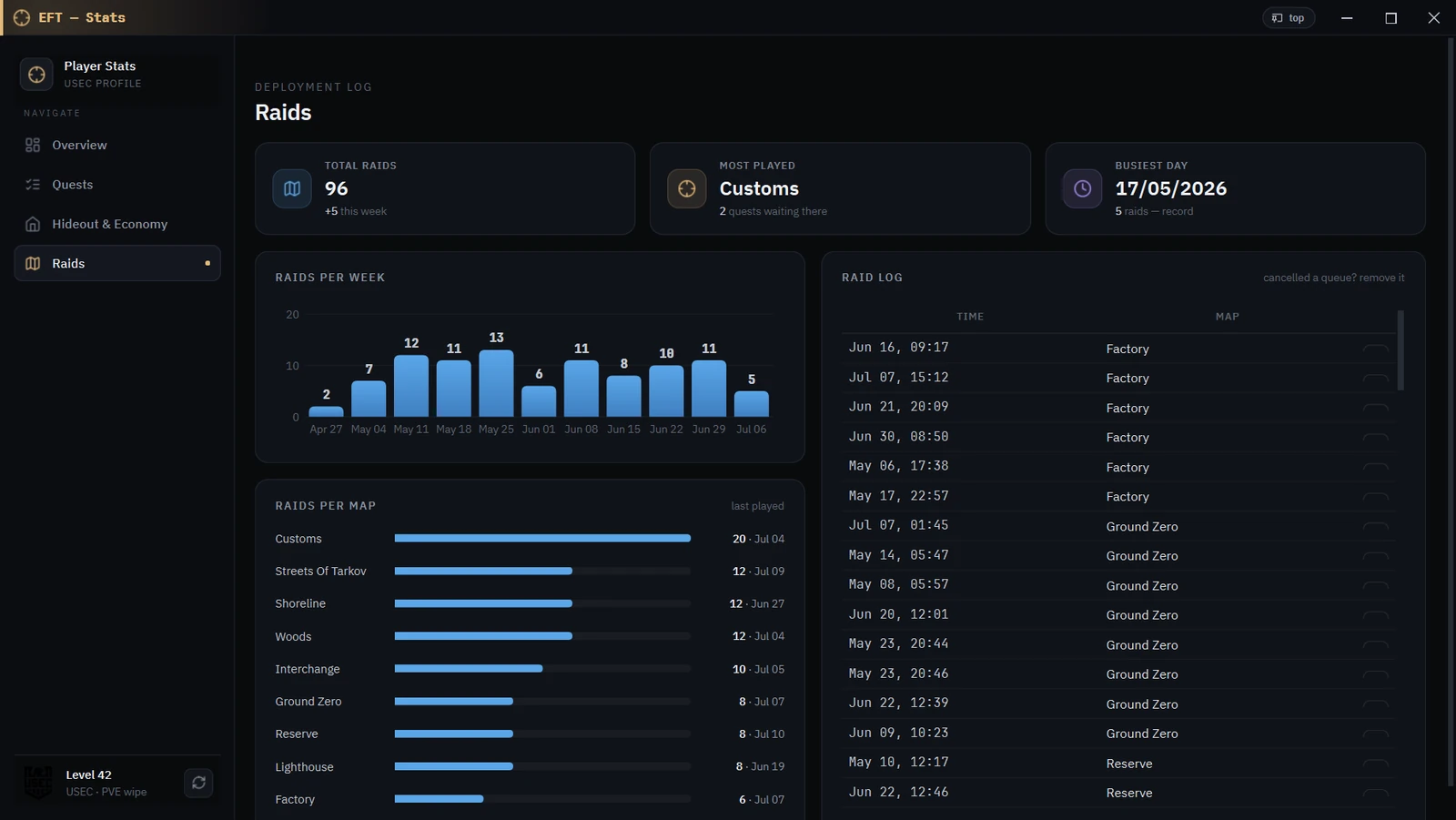
- Auto-recorded from game logs the moment you load into a raid
- Raids per map with last-played dates, plus a per-week chart
- Most played map shows how many quests you still have waiting there
- Busiest day record for the wipe
- Cancelled a queue? Remove it from the raid log, with undo